York REM Schedule Exporter
Instantly convert your York University course details into a calendar file (.ics) for Google Calendar, Apple, Outlook, and more!
How to use this tool:
- Log in to York REM.
- Select your academic session and click Continue.
- Click on Course Details.
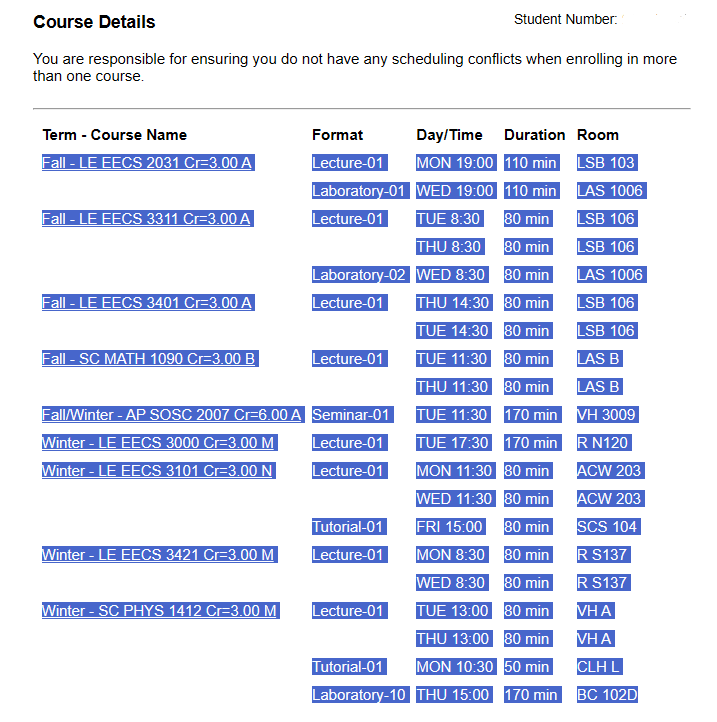
- Highlight and copy only your course list (see image below).
- Paste the text into the box and click Generate.
Tip: Once downloaded, simply open or double-click the
.ics file to import it straight into your calendar app.🍎 Apple / iPhone User? If it doesn't open automatically, you can drag and drop the file into your Calendar app. Check out this quick video guide for help.